Conclusion Summary–Webdesk ERP Warehouse & Asset Management System
The Webdesk ERP Warehouse and Asset Management System, integrated with the Motorola MC32 Rugged Mobile Computer, provides a complete end-to-end solution for managing assets and warehouse operations.
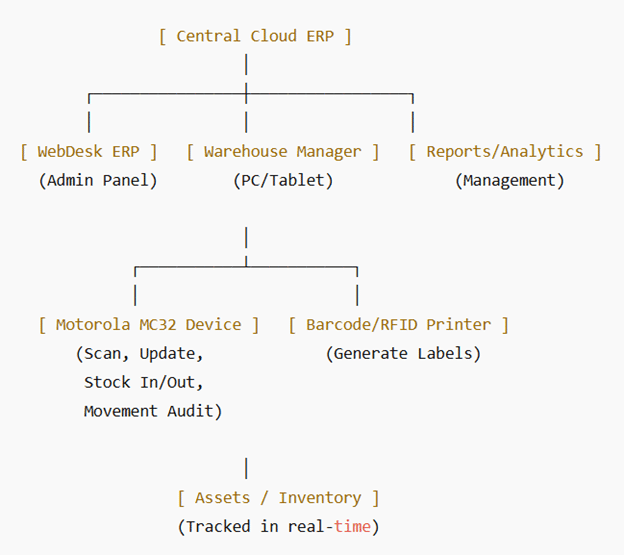
Centralized Cloud ERP ensures all data is stored securely in one system.
Real-time tracking with Motorola MC32 scanning prevents asset loss and misplacement.
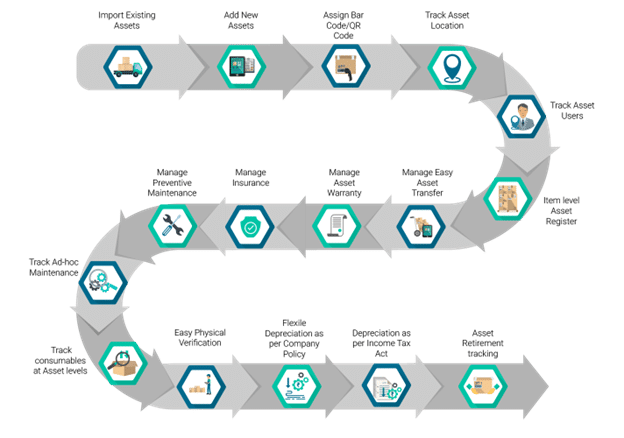
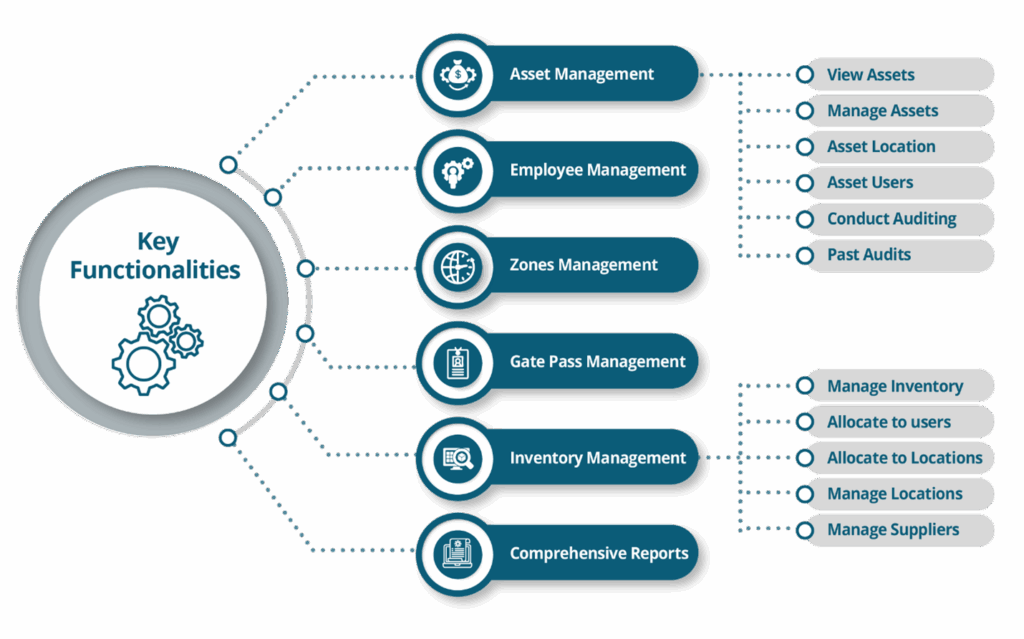
Warehouse hierarchy setup enables precise asset location (Company → Site → Building → Floor → Room).
Full lifecycle management tracks assets from purchase to disposal.
Barcode/RFID integration reduces manual errors and speeds up operations.
Role-based access ensures security and proper responsibility assignment.
Automated alerts (maintenance, warranty expiry) help extend asset life.
Comprehensive reports support data-driven decisions for managers.
With this setup, field staff use the MC32 device for scanning & updates, managers control operations via the ERP dashboard, and top management gains real-time insights & reports.
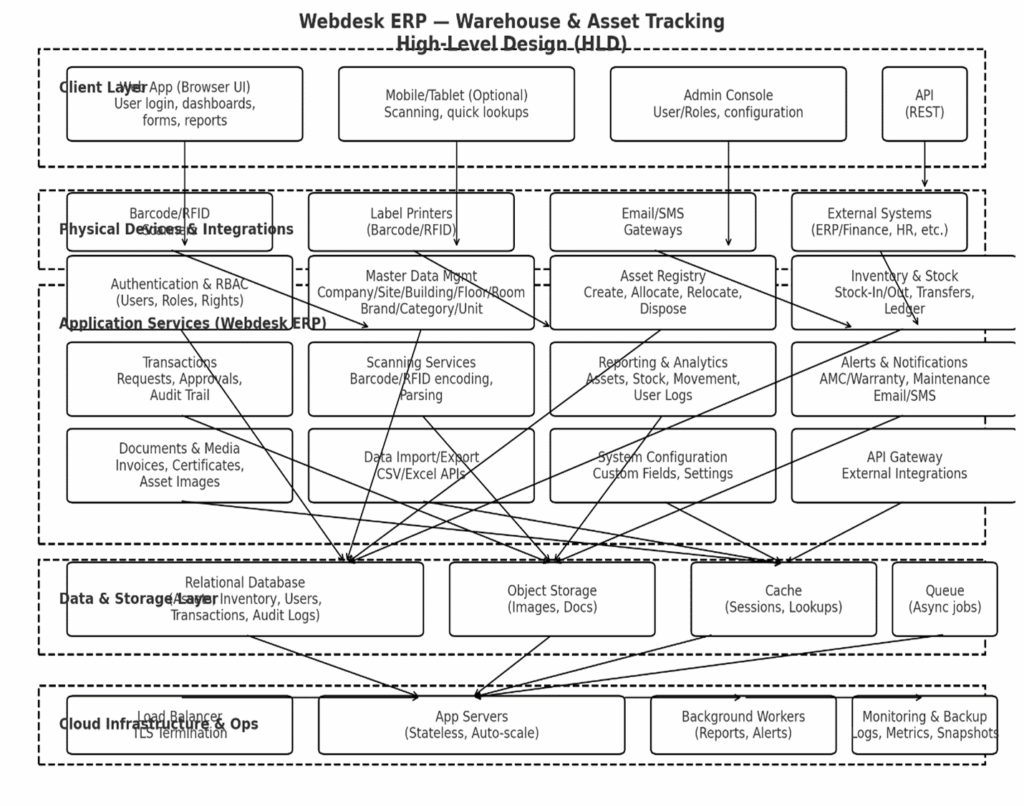
MC32 handhelds scan barcodes/RFID on the floor, work offline if needed, and securely sync via HTTPS to the ERP.
Label printers receive print jobs (ZPL/CPCL) from the ERP’s label service.
Webdesk ERP services handle Asset/Inventory, Stock In/Out, Stock Transfer/Movement, and Audits, with role-based access and full reporting. 
1. Component breakdown (mapped to your modules)
Edge & Capture Layer
Motorola MC32 Handheld App*
Scan (1D/2D; optional RFID sleds), local queue, delta sync, device encryption.